Embedded Video with Convio
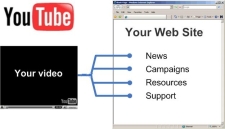
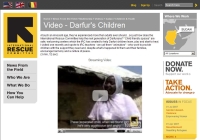
With Convio, Web site administrators can easily embed YouTube videos directly into their Web site content.
Click here to view a short demo on how to use the YouTube extension component in Convio CMS and PageBuilder.
How it works with CMS
While Convio CMS can accept a simple embedded URL on any page, as a best practice, we typically recommend organizations create a new content type specific to storing video references. Entries to this content type include properties like: URL for streaming video (e.g. YouTubeTM), category for related content, publication date, associated organization campaign or programs, and any other structured content designation that will allow authors to associate each video with relevant site content. The new embedded content component then simplifies the process of presenting each video by allowing each entry to operate as an object, rather than a unique bit of code. As a result, each video is automatically associated with relevant content and can be presented in a variety of ways to site visitors based upon the context of the page.
How it works with PageBuilder
With PageBuilder, authors can create many kinds of content, including HTML content. When HTML content is used, the WYSIWYG appears containing drop down lists of Personalization options, Link options, and Component options. One of those options is the YouTube Video component. Simply insert that component into your page, enter your search criteria and drag the desired video into the drop zone, and viola, you have embedded a video.
Benefits include:
- Administrative control over attributes
- No HTML skills required on the part of the video editor
- Access to any publicly available video on YouTube
Here's an example of how this new component can be used to enrich the visitor experience:
The American Health Society is compiling content on the harmful affects of smoking for their upcoming report. This includes sourcing video from popular sites like YouTube and Yahoo video.
Web site author Jimmy finds three good videos, each telling a story with slightly different angles on the smoking issue. Jimmy adds the videos to his web site's video database, powered by a CMS content type called "Videos".
Along with the URL of the video, Jimmy selects properties for the database in categories for: Related Issues, Campaign, Action Items and Publication Source.
Now, whenever a web page pertaining to smoking appears on the web site, a related content section on the right side of the page automatically displays available videos by associating the common properties of the web page with the video entry Jimmy created.
Learn more and discuss best practices using this component in the Client Community.